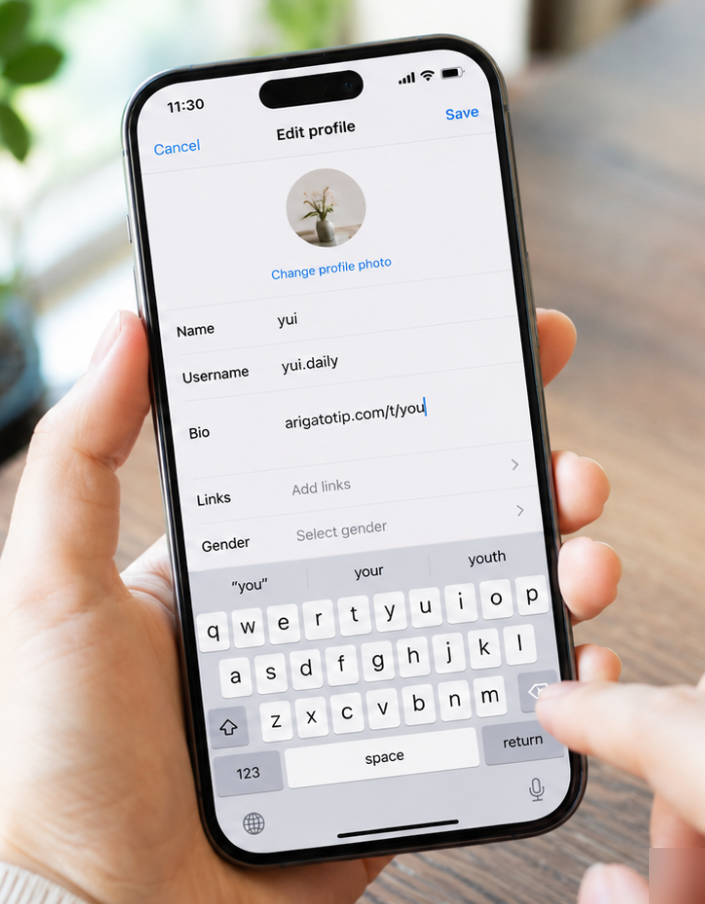
Link in your bio
Add your tip URL to your Instagram, TikTok, or X bio. Followers can support you anytime.

About
A service to send gratitude and support with moneyfor staff, creators, and event teams. People can send "thank you" and "I support you" through a QR code or link inabout 30 seconds
In person, just place a QR. Streamers can add the OBS overlay.
Link in your bio
Add your tip URL to your Instagram, TikTok, or X bio. Followers can support you anytime.
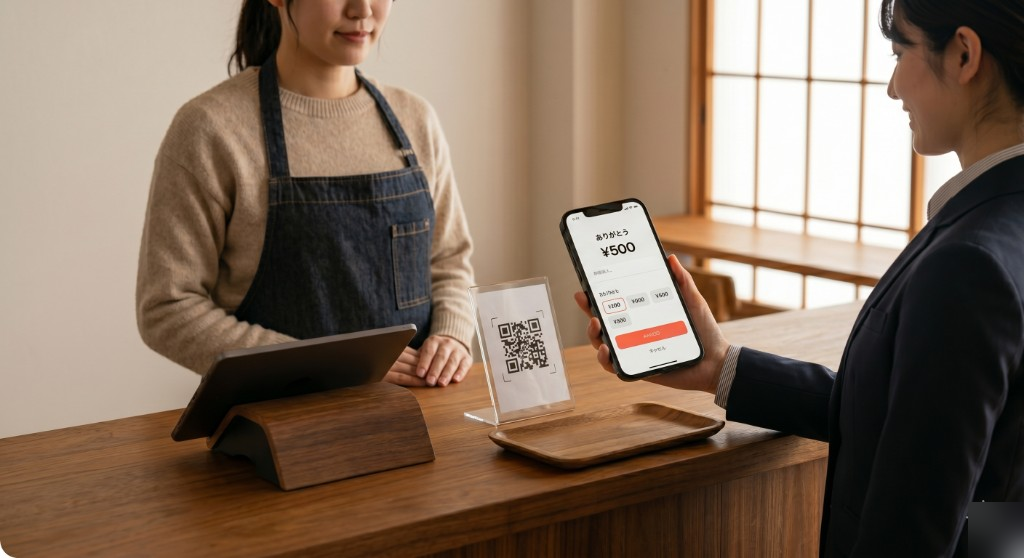
Thanks at the counter
Place a QR by the register at cafes, hotels, or bars. Gratitude on the spot.
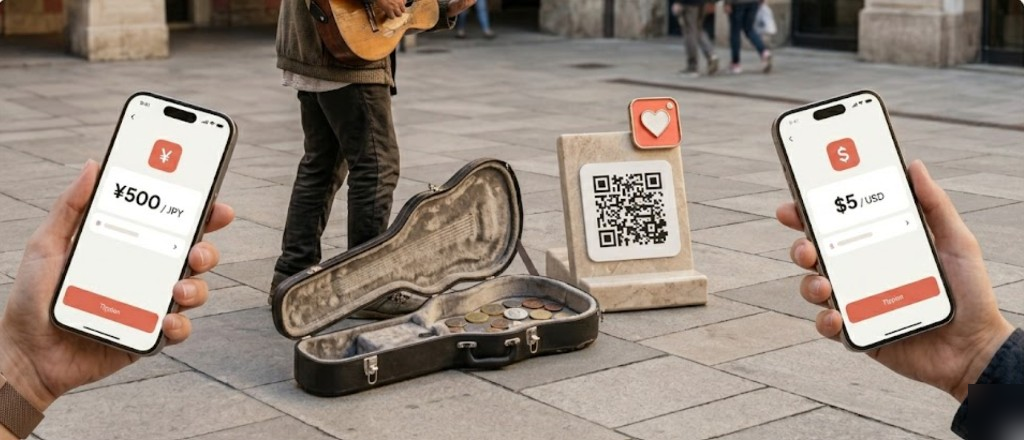
Street performance
Place a QR on your guitar case or sign. Passersby tip in seconds — same flow abroad.

QR your way — stickers OK
Table tent, guitar case, business card, or sticker — your choice. Use it your way!!
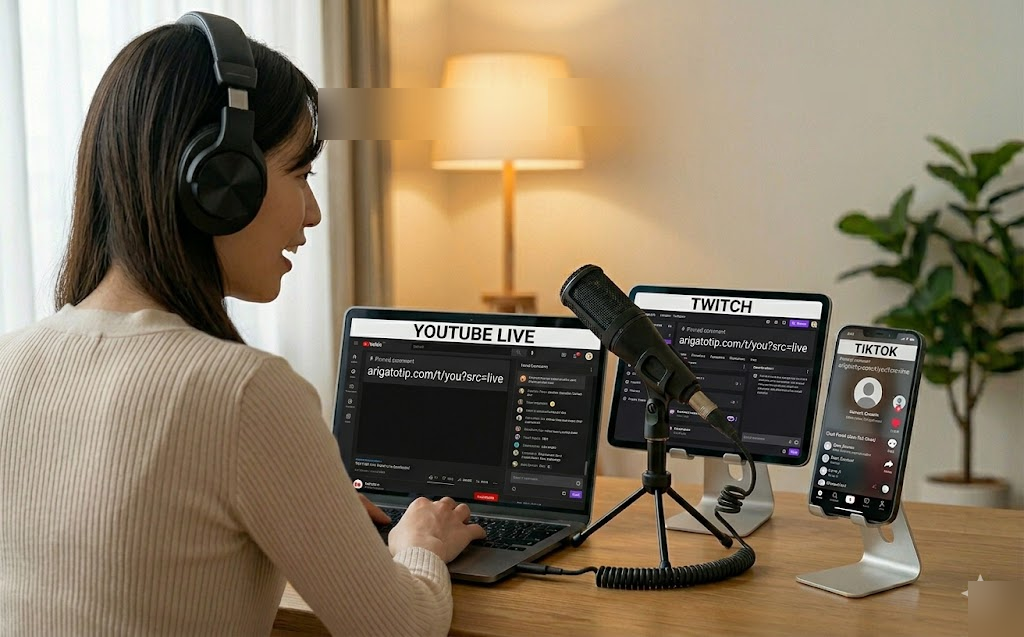
Multi-stream — tips and messages in one place
YouTube, TikTok, Twitch, and more — even on different devices. One link collects every tip and message; show them all on your OBS overlay.
How live tips flow
While Live mode is ON, every tip is 10% PF. Show the OBS overlay so every viewer sees support — turn OFF after the stream.
Sender
No signup required
Recipient
Free signup
Passersby and followers already want to support you. Place a QR or link and you're ready. Streaming? Show tips on OBS too.
Live tipping
For streamers (optional)10% platform fee — any SNSMulti-stream to YouTube, Twitch, TikTok, X, and more — pin one Rukayu link on each. Lower fees than in-app gifts, and the OBS overlay lets viewers on every platform see the same tips and messages.
While Live mode is ON, every tip is 10% PF — turn OFF after your stream. When OFF: 4% PF · preset message (optional) · no display name.
TikTok / YouTube in-app live cannot layer an overlay on the same phone. To show tips to all viewers, use one of these two methods.
You can still receive tips on one phone. Share your tip link or QR on stream.
Method A — Second device + read aloud
Open the overlay URL on a spare phone or tablet and read tips on air.
Method B — PC + OBS on stream
Add the overlay URL as an OBS browser source so every viewer sees alerts.
One link beats scattered platform gifts
Super Chats and platform gifts take a big cut and stay invisible on your other streams. Collect tips and messages in one place, show them on OBS — better take-home pay and shared momentum for all viewers.
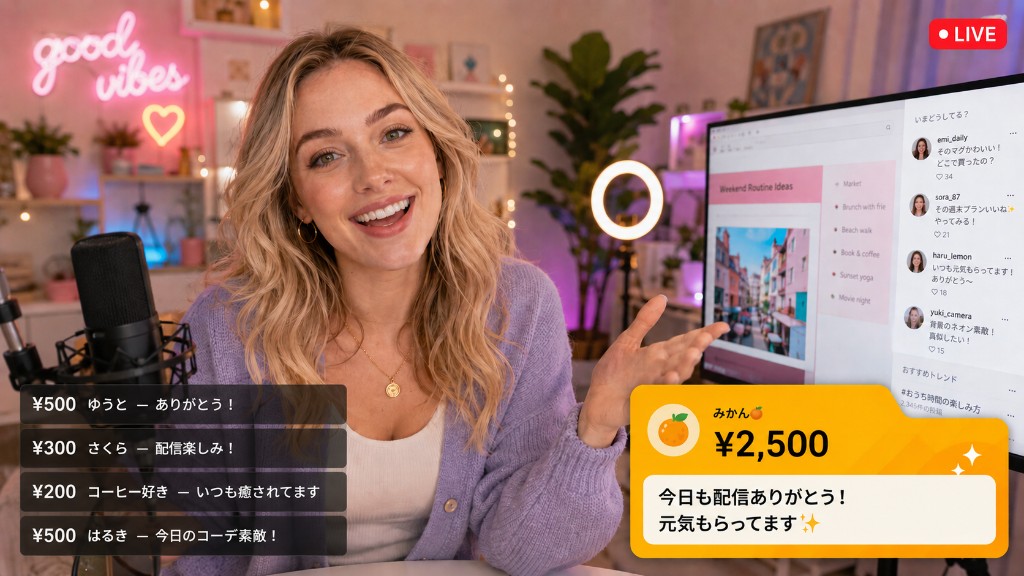
Recent tips bottom-left · new alert bottom-right. Super Chats stay in chat — this overlay goes on the video itself.
Link → tip → on stream (flow)
Try the live tip demo to see what viewers get
On multi-streams, a tip on YouTube often never shows on Twitch. One OBS overlay fixes that — viewers everywhere see support roll in, which invites the next tip.
Multi-stream — one link, all viewers
Pin the same tip link on every live destination. Tips and messages display once on OBS so audiences across platforms share the same moment.
10% PF from any SNS
Live tips are 10% platform fee (+ processing). You keep far more than Super Chat or TikTok gifts on the same ¥1,000 payment.
7 tiers — start small, stand out big
From ¥50 up. Higher amounts get richer colors and longer on-screen time (Super Chat style).
Zero friction for fans
No app, no account. Open the link, pick an amount, pay the displayed price — no add-on fees.
In-platform gifts often take 30–50% from creators. Rukayu live tips are 10% PF from any SNS — multi-stream and keep far more.
Example: fan pays ¥10,000 (estimate · domestic card)
* All rows assume the fan pays the same amount. With Twitch Bits, purchase markup means you keep less even when the fan spends ¥10,000.
| Method | Fan pays | You keep | Est. cut |
|---|---|---|---|
| Rukayu | ¥10,000 | ¥8,604 | ~14.0% (10% PF + processing) |
| YouTube Super Chat | ¥10,000 | ¥7,000 | ~30% (70% share) |
| TikTok LIVE gifts | ¥10,000 | ¥5,000〜¥6,500 | 35–50% (as low as 20%) |
| Twitch Bits | ¥10,000 | ¥7,000〜¥7,700 | +23–40% at purchase* |
~¥1,604 more per tip vs Super Chat. Twitch Bits leaves even less at the same fan spend. At ¥10M/month in live tips, that's ~¥19.2M+ more per year.
* Twitch Bits include a markup when fans buy Bits — at ¥10,000 fan spend, creators often keep ~70% or less. Competitor rates vary. Rukayu: fans pay exactly the displayed amount.
Turn on Live mode in the dashboard

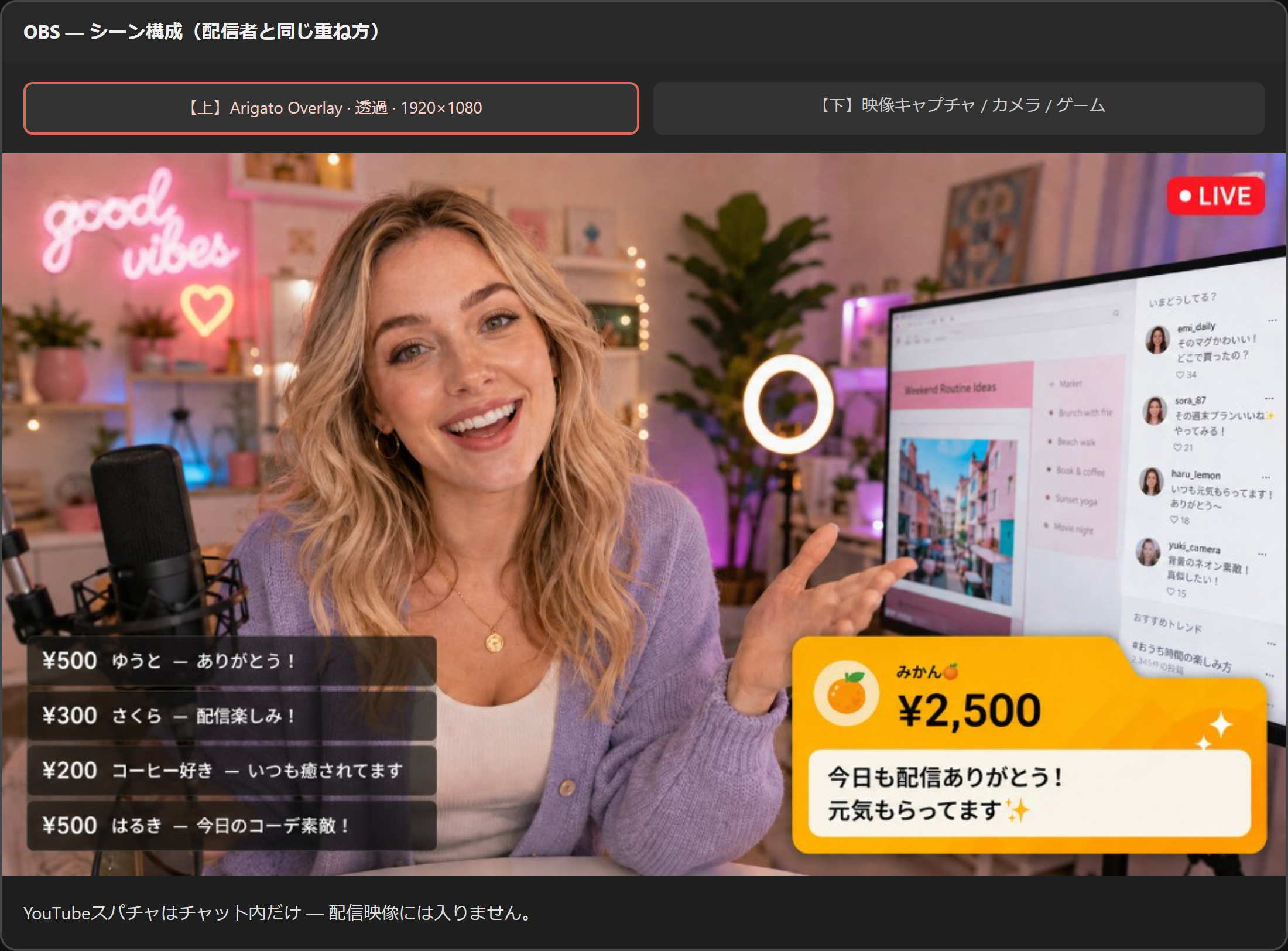
OBS: camera/game on bottom · overlay URL on top (1920×1080, transparent)
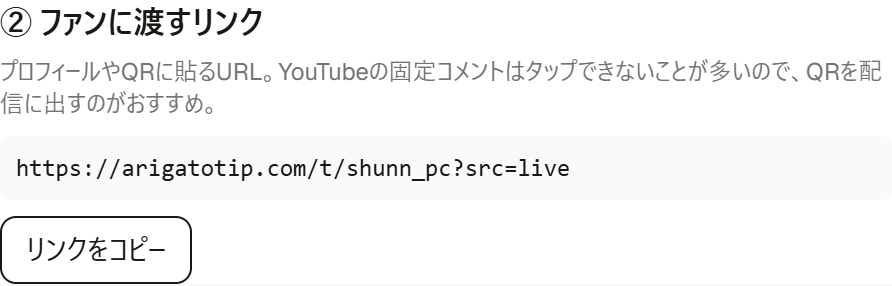
Pin tip link or QR (?src=live)
New tips = large bottom-right · last 5 on bottom-left (readable)
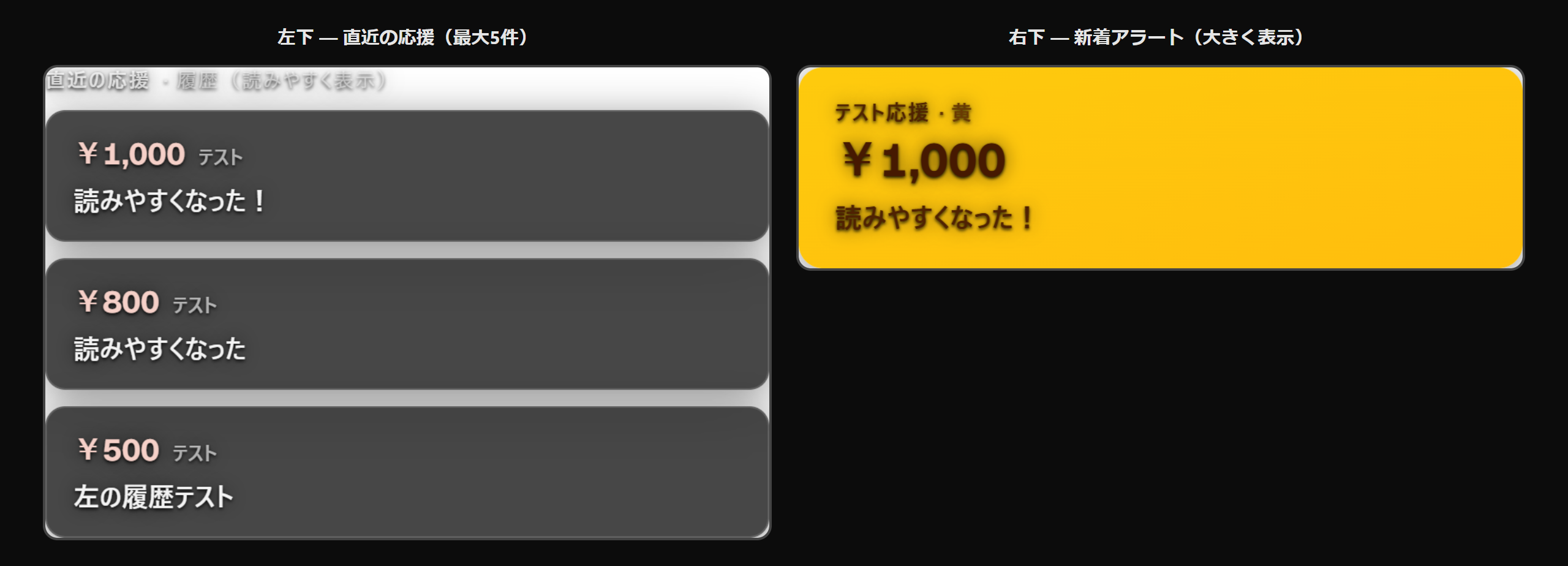
Test alert, then thank fans on air

YouTube Super Chats stay in chat — they do not overlap your stream video. Only other OBS alert tools may overlap bottom-right.
Platform fee is 4% standard · 10% live (recipient-side). All-in estimate with payment processing is about 8.0%–14.0% (domestic cards, JPY).
Example: ¥500 standard tip → sender pays ¥500 → recipient keeps roughly ¥460. While Live mode is ON, all tips use 10% PF — all-in estimate about 14.0% (varies by payment method).
Estimate for domestic cards and JPY. Fees differ for overseas receivers and international cards (often ~9–12%); varies by country and card.
Compare what fans pay first, then what you keep. Services that add fees on the sender side can look better on paper if you only look at the nominal recipient amount.
It says ¥500 — does the fan really pay ¥500?
Example: deliver ¥500 to the creator · one tip · domestic card
Fees include platform and card processing estimates. tips.tips “you receive ¥500” is nominal (fans pay ~¥525). Rukayu fans pay the displayed amount; your net is after processing.
| Service | Fan actually pays | You receive | Est. fees |
|---|---|---|---|
| RukayuNo signup · exact display amount | ¥500Exact display amount | ~¥460After processing | ~8.0% (PF + card processing) |
| Buy Me a Coffee | ¥500 | ~¥455 | ~9% (PF + card processing) |
| Domestic QR (JP) | ¥500 | ~¥432 | 13.6% (PF + card processing) |
| tips.tips | ~¥525 | ¥500 | Fan-side +~5% (markup) |
tips.tips may show ¥500 to you, but fans pay ~¥525. Rukayu fans pay the displayed amount; your net is after processing.
* Rates vary by payment method, FX, and policy updates. International cards and overseas receivers often see ~9–12% processing.
There are several services for sending appreciation. Here is what makes Rukayu different.
| Point | Rukayu |
|---|---|
| Amount paid by sender | Exactly the displayed amount (no add-on fee) |
| Platform fee | 4% tips · 10% live (deducted from recipient) |
| Minimum amount | ¥50–¥30,000 per tip · custom amounts allowed |
| Sender registration | Not required |
| Live streaming | OBS overlay · instant alerts · 7-tier display |
| Post-tip routing | Recipient can freely configure social links and destinations |
Referral rewards come from the platform fee (PF) split. Invitees pay the same rates as everyone else. You earn 1% of their tip volume — permanently.
Your referrals pay the same fees as everyone else. Rewards come from the platform fee (4% / 10% live) breakdown.
Example: if your referral receives ¥100,000 in tips per month, you earn ¥1,000/month in referral rewards
You must complete payout setup (Stripe Connect) to receive rewards. Self-referrals are not allowed.
Use the demo page to experience sending. Register for free to start receiving.
Payments are processed by Stripe.